Every RSVP, meal choice and dietary need, without the spreadsheet
Your guest list, the replies and what everyone needs to eat, kept together and kept up to date.
Start planning your eventFree to use · No obligation · No spam
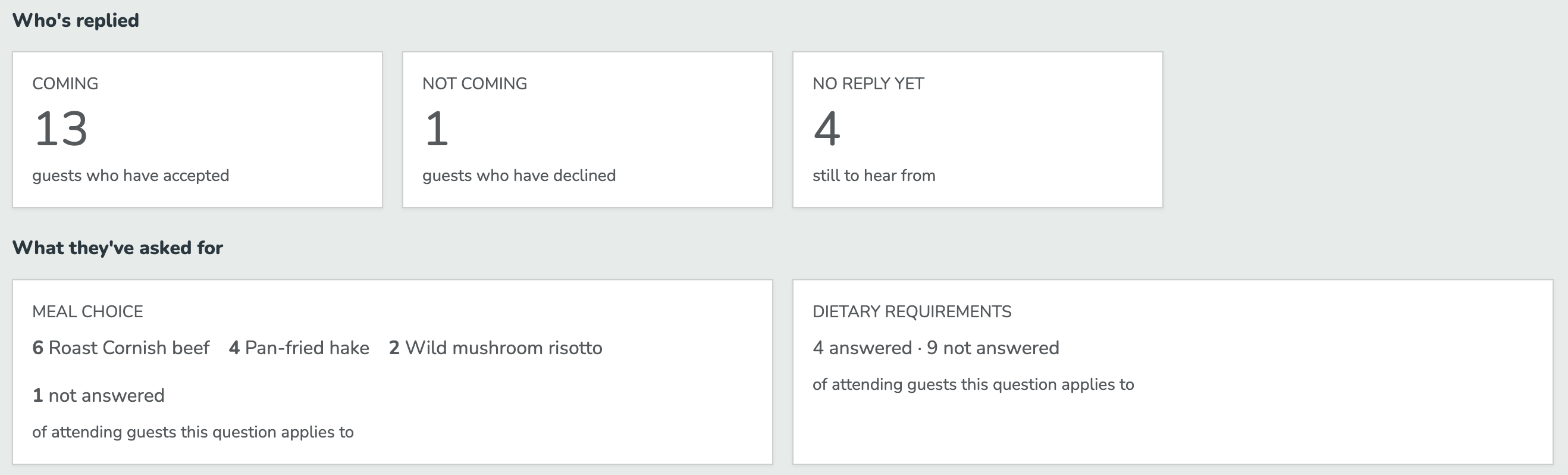
Most guest lists start as a spreadsheet, and the replies arrive by text, email and word of mouth. Somebody's aunt says yes at a christening. The meal choices end up in a WhatsApp thread. By the time the caterer wants numbers, nobody's sure which version is right.
Guests in households, not a flat list
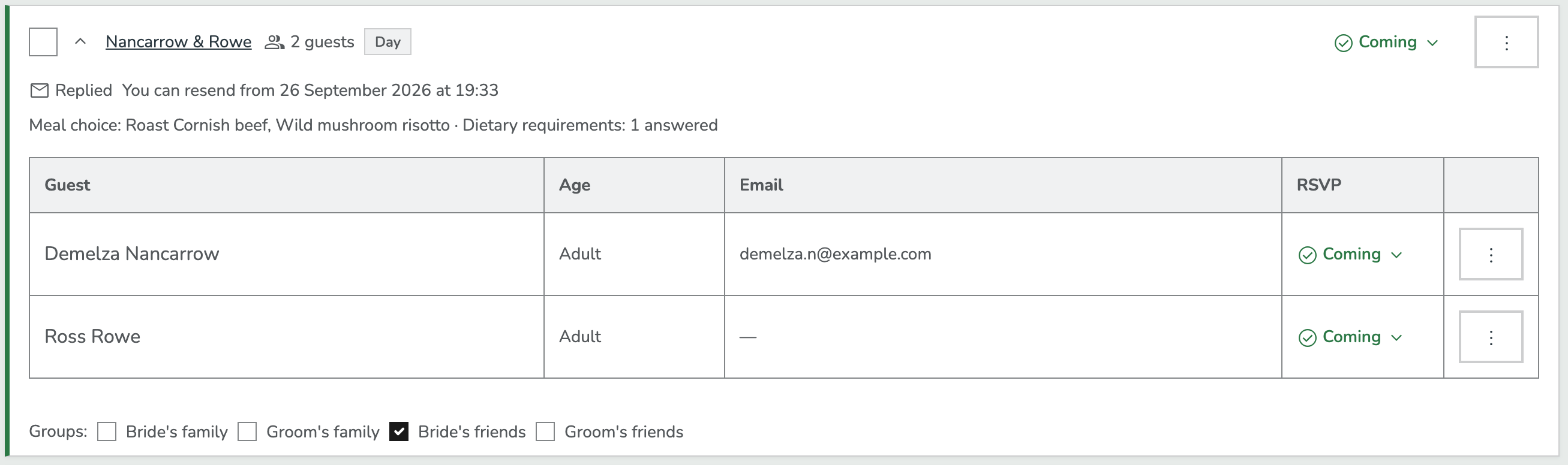
Each household expands into the people inside it, with their RSVP status, a meal-choice summary, individual details like age and email, and the groups it belongs to.
Bring your list in from a spreadsheet
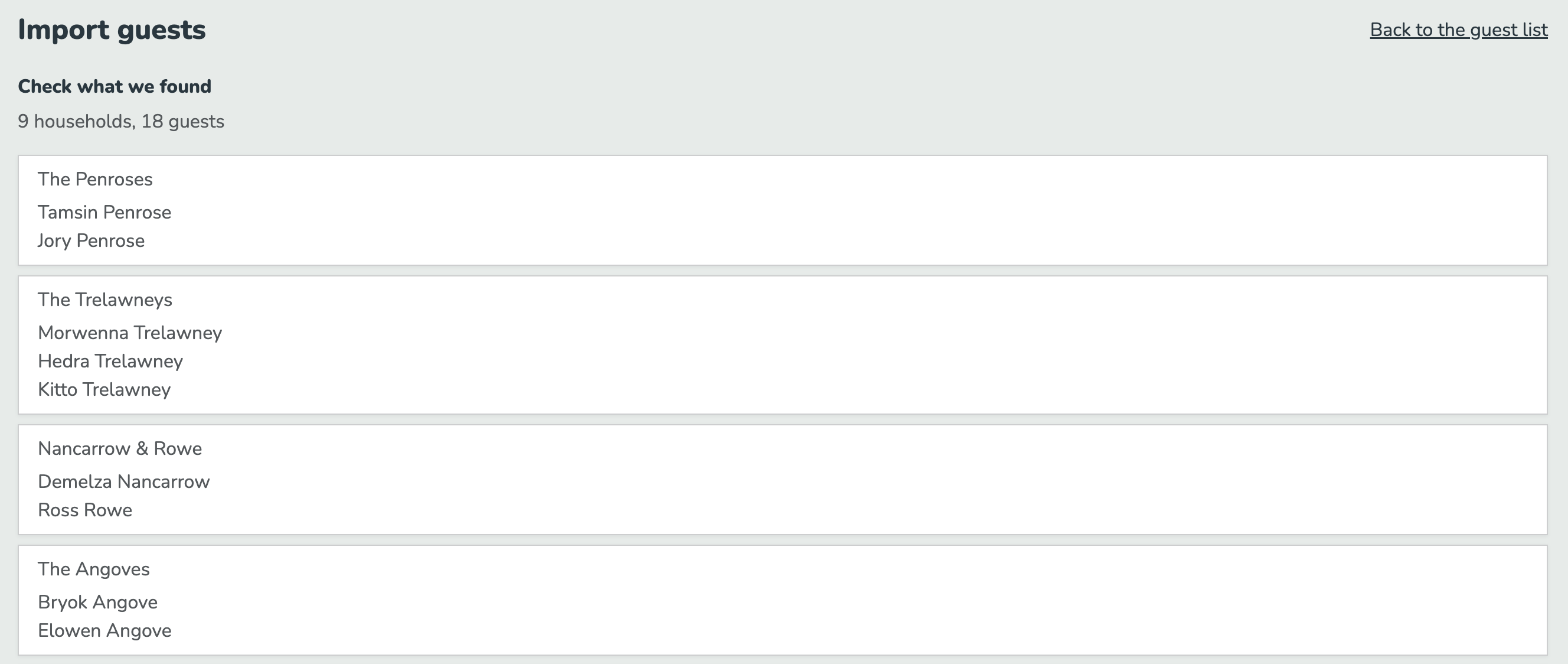
Already started a list? Upload it and check the households and guests it found before anything is saved.
One link per household to reply
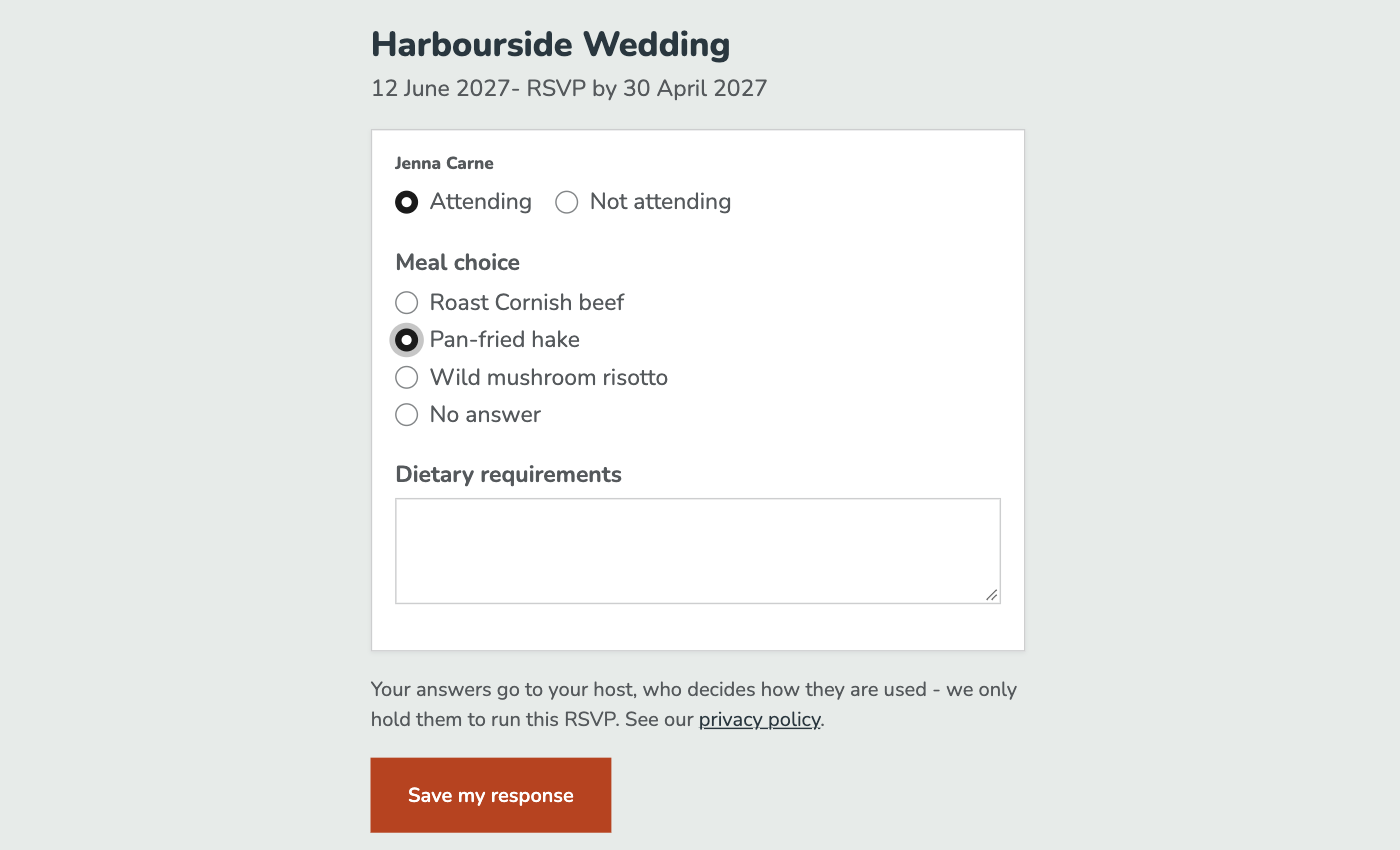
Each household gets its own RSVP page. Guests say whether they're attending, choose a meal and add any dietary requirements, with no account to create. For what to ask, see collecting dietary requirements.
Printable cards with a QR code
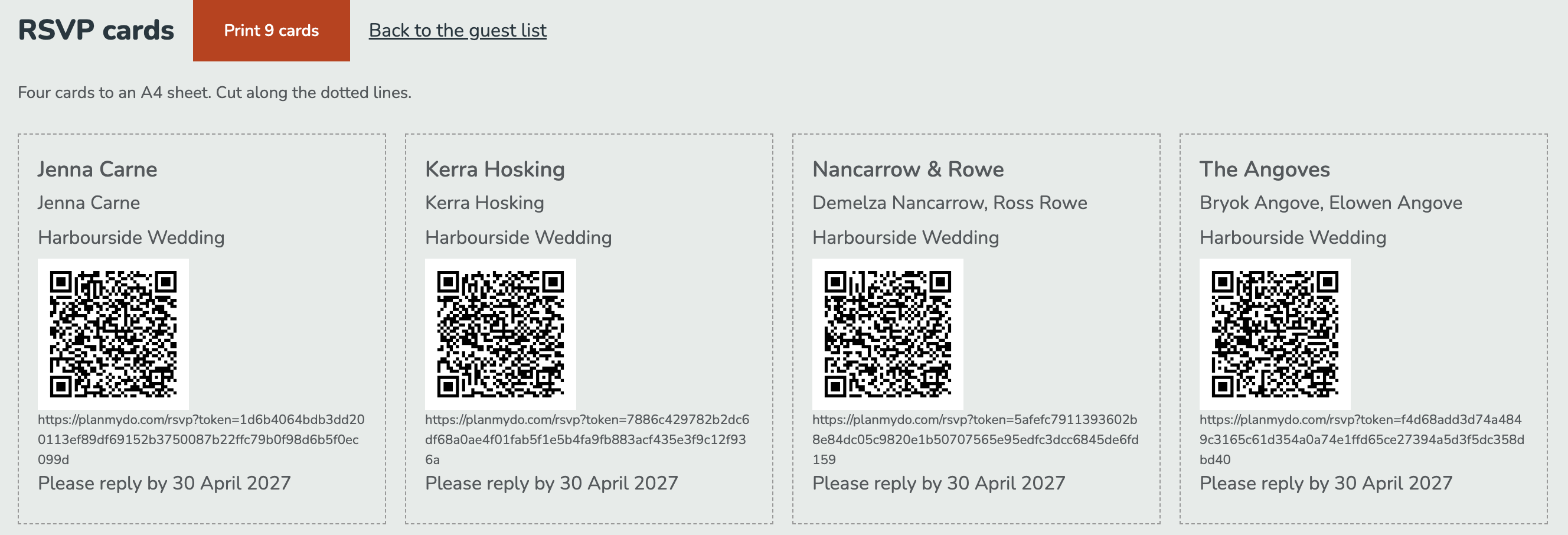
Print a card for each household with its own QR code and reply link, so guests who get a paper invitation can still reply online.
Chase the ones who haven't replied
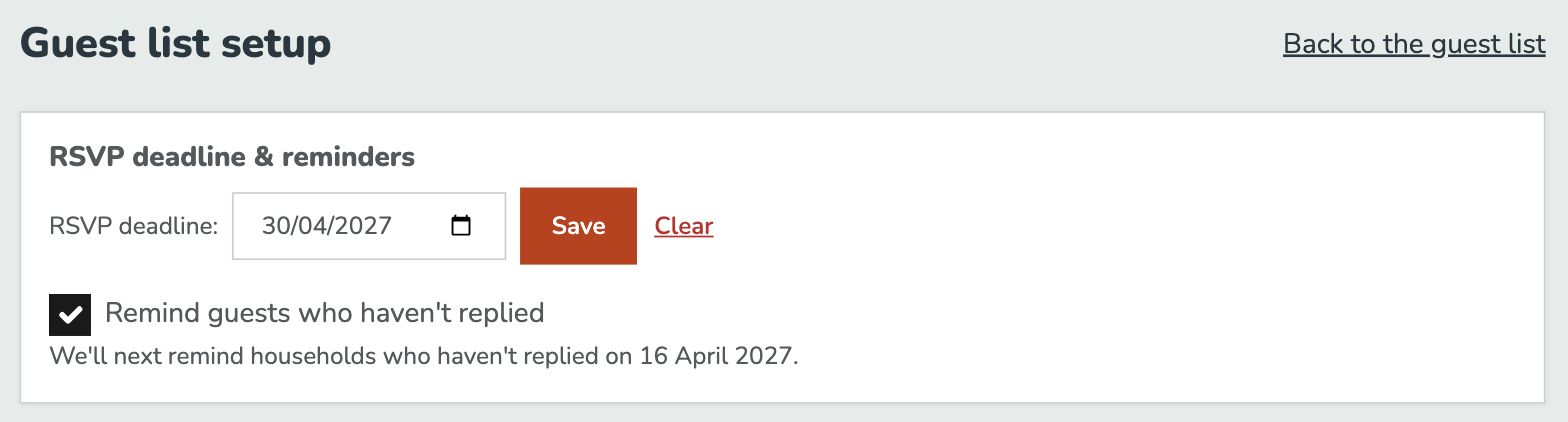
Set an RSVP deadline and switch on reminders, and the next date you'll remind households who haven't replied is shown back to you.
Where it fits
Stage 4 of 5 when you plan with Plan My Do: You sort the guest list. See the whole journey
Also in Plan My Do
- Describe your eventWrite it the way you'd tell a friend, and the date, numbers, budget and checklist are filled in for you.
- Supplier matchingEvery job on your checklist that needs a supplier gets its own list, ranked against your date, place, guest numbers and budget, with the reasons written out.
- Enquiries & quotesSend the same enquiry to the suppliers you pick. Each one replies in its own thread, often with a written quote attached, and the one you book keeps its price and payments together.
- Run sheetYour booked suppliers, the big moments and every job on one timeline, which your helpers open on the day and tick off as it happens.
Related planning guides
- How to Build a Wedding Guest List (and Cut It Down When It Won't Fit)Build the list by household rather than by person, run an honest A-list and B-list, and cut it back to the number your venue and budget can actually take - with rules you can defend to the people you leave off.
- Wedding RSVP Wording, Deadlines and Chasing the StragglersWhat an RSVP card has to say, wording you can copy for formal and relaxed weddings, how to pick a deadline that works backwards from your caterer, and how to chase the third of your guests who will not reply.
- Collecting Dietary Requirements and Meal Choices Without a SpreadsheetHow to ask for meal choices and dietary requirements so you get countable answers, why an allergy is not a preference, and what your caterer needs from you two weeks before the day.
Ready to start planning?
Tell us what you're planning and we'll take it from there.
Start planning your event